How do I see who reports to whom?
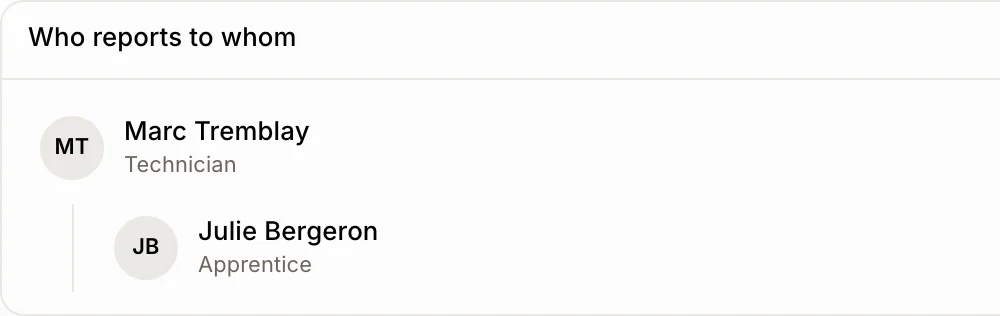
Set Reports to on each employee. Employees then shows Who reports to whom under the team list, by itself.
Set Reports to on each employee. The Team page then shows Who reports to whom under the list, by itself: each person under their supervisor.
Also called: org chart, organization chart, hierarchy, supervisor, manager, organigramme, supérieur, hiérarchie
Step 1: Set who they report to
Open the person under Employees and click Edit. Pick their supervisor in Reports to, then save.
Click: the person › Edit › Reports to
Step 2: See the chart
Go back to Employees. Under the team list, Who reports to whom shows everyone under their supervisor. Click a person to open their file.
Good to know
The chart shows once at least one person has a supervisor.
People who left aren't in it. Someone whose supervisor left moves to the top.
You can ask Ask Alori: "Who reports to Marc?"