How do I send campaigns from my own domain?
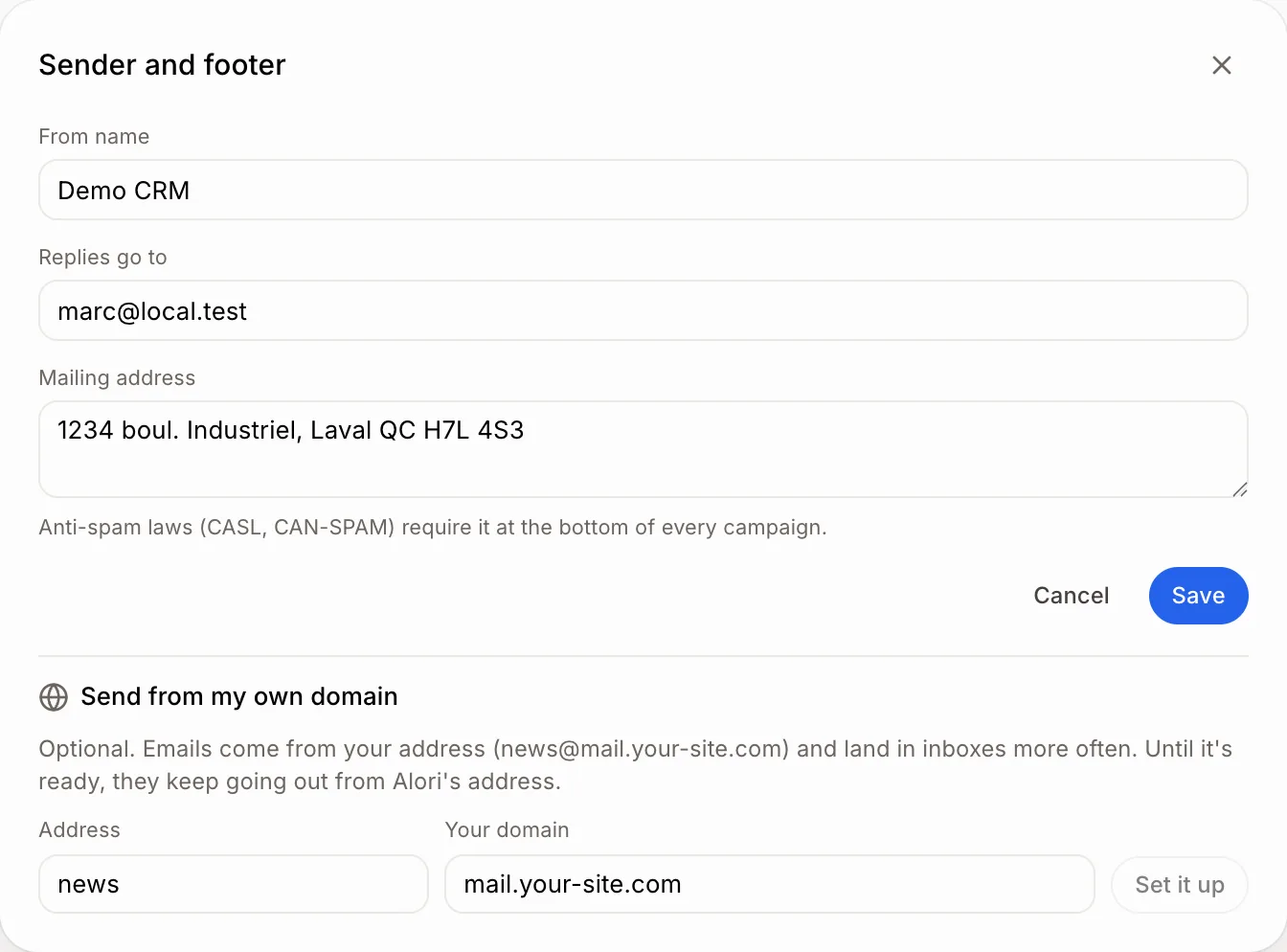
On a campaign, click Change next to From, then Send from my own domain. Add the records at your domain host and click Check again.
On any campaign, click Change next to From. Under Send from my own domain, type an Address and Your domain (like mail.your-site.com), click Set it up, add the records Alori shows at the company that runs your domain, then click Check again. It's optional: until it's ready, campaigns go out from Alori's address.
Also called: custom domain, sender domain, domain authentication, DKIM, SPF, domaine d'envoi, authentifier mon domaine
Step 1: Set up your domain
Click Campaigns, open a campaign, then click Change next to From. Under Send from my own domain, type the Address (like news) and Your domain. Use a part of your website's domain, like mail.your-site.com, so your regular email isn't touched. Click Set it up.
Then Alori shows a few records (Type, Name, Value). Add each one at the company that runs your domain (GoDaddy, Cloudflare, Google…). The copy button next to each value copies it. Come back and click Check again. When it's ready, it says Campaigns come from your address.
Click: Change › Send from my own domain › Set it up › Check again
If it doesn't work
Use a domain you own, like mail.your-site.com.: Gmail, Outlook and other mailbox addresses can't be used. Type a domain you own.
The records don't match yet. Check them and try again.: records can take up to a day to show up. Check each value, then click Check again later.