How do I add my photo to my booking page?
In Booking › Links, click the round picture beside My booking links and choose a photo. It shows beside your name on every booking link right away.
In Booking › Links, click the round picture beside My booking links and choose a photo of yourself. It saves right away and shows beside your name on every one of your booking links.
Also called: profile picture, avatar, headshot, host photo, photo de profil, avatar, ma photo, photo sur la réservation
Step 1: Click your picture
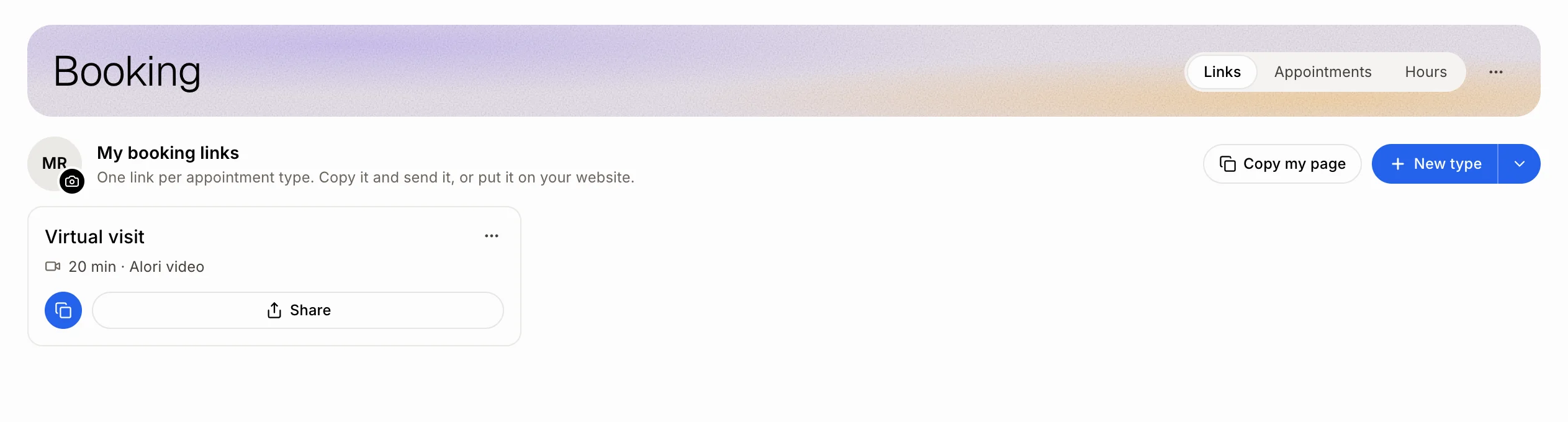
In your CRM, open Booking and stay on Links. Beside My booking links is a round picture with your initials and a small camera. Click it.
Click: Booking › Links › your picture
Step 2: Choose a photo
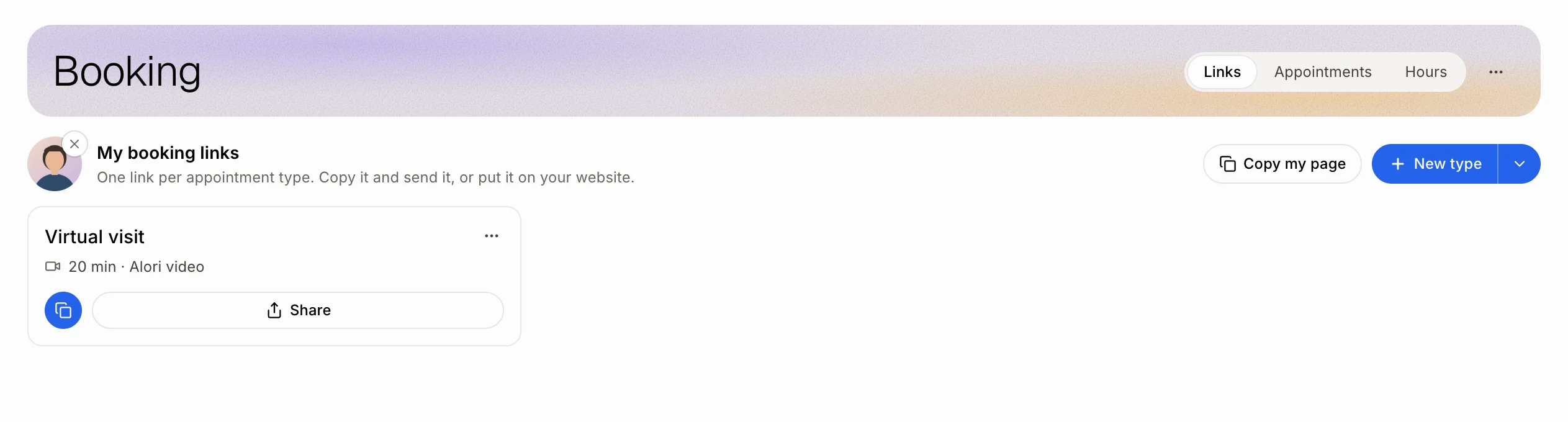
Pick a JPG, PNG or WebP photo from your computer or phone (5 MB at most). It saves right away and you see Your photo is on your booking links. To change it, click it again. To take it off, click the small × on its corner.
Click: your picture › a photo
Step 3: See it on your booking page
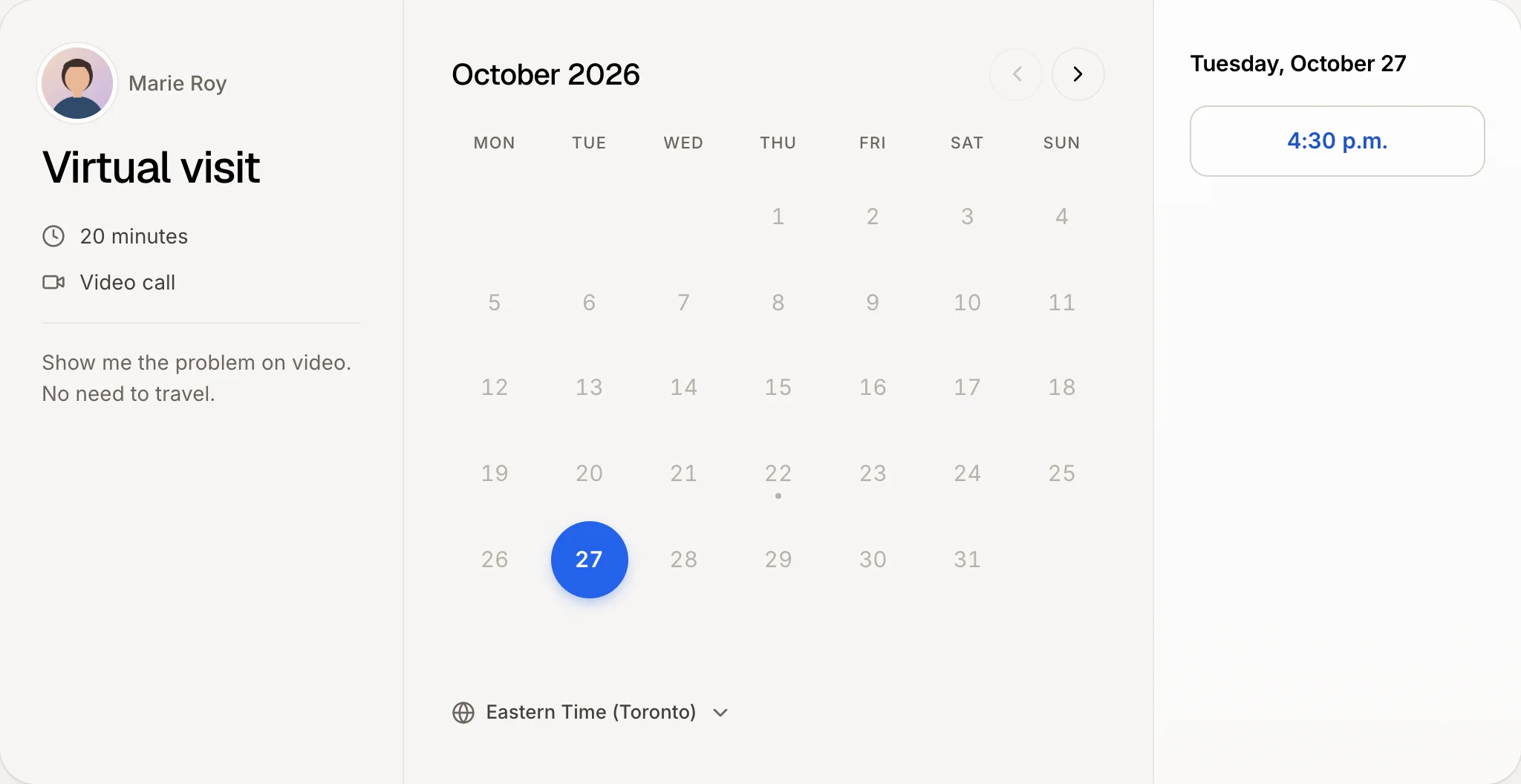
Your customers now see your photo beside your name when they open any of your booking links, and on your page that lists them all (Copy my page). Nothing else to do.
Good to know
Before you add one, your booking links show the photo of your Google account if you signed in with Google, or else your initials.
Each person has their own. Every teammate with booking turned on sets their own photo the same way. Team appointments (each in turn, the whole team together) show the business, not one person.
From the chat. Attach a photo to a message and ask Alori, for example "Put this photo on my booking links." To take it off, ask "Remove the photo from my booking links."
You need booking turned on first. See How do I turn on online booking?
If it doesn't work
"That photo is too large (5 MB at most)." Pick a smaller photo, or take a screenshot of it and use that.
"Use a JPG, PNG or WebP photo." The file isn't one of those (for example a HEIC from an iPhone or a PDF). Save it as a JPG first, then try again.
I don't see the picture beside My booking links. It shows once you have at least one booking link. Create one first: How do I create a booking link?
My booking page still shows my initials. Reload the booking page.