How do I export my team's hours for payroll?
Go to Employees › Hours, approve the week, click Export to CSV and download the pay summary: regular, overtime and holiday hours per person per week.
Open Employees › Hours, approve the week, then click Export to CSV. The Pay summary gives one line per person per week, with regular hours, overtime and hours worked on a statutory holiday, ready for your payroll provider or your accountant.
Also called: payroll, pay run, timesheet export, overtime, statutory holiday, paie, feuilles de temps, heures supplémentaires, jour férié, Nethris, Employeur D
Step 1: Approve the week
Go to Employees › Hours. Each person shows their hours for the week. Check them, then click Approve on a line, or Approve all.
Click: Employees › Hours › Approve all
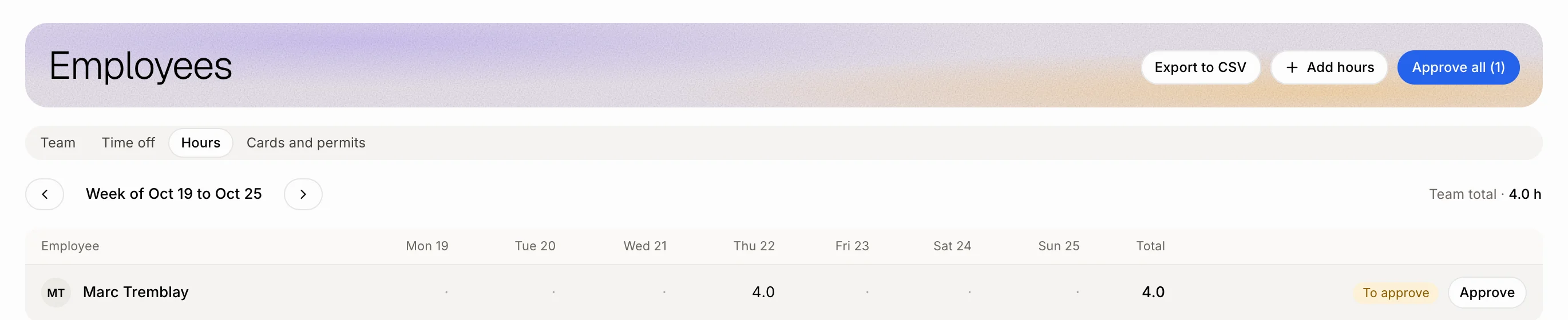
Step 2: Download the pay summary
Click Export to CSV. Under What to export, keep Pay summary, one line per person per week. Pick the Period and the Employees, check the preview, then click Download the CSV. Open it in Excel or import it in your payroll software.
Click: Export to CSV › Download the CSV
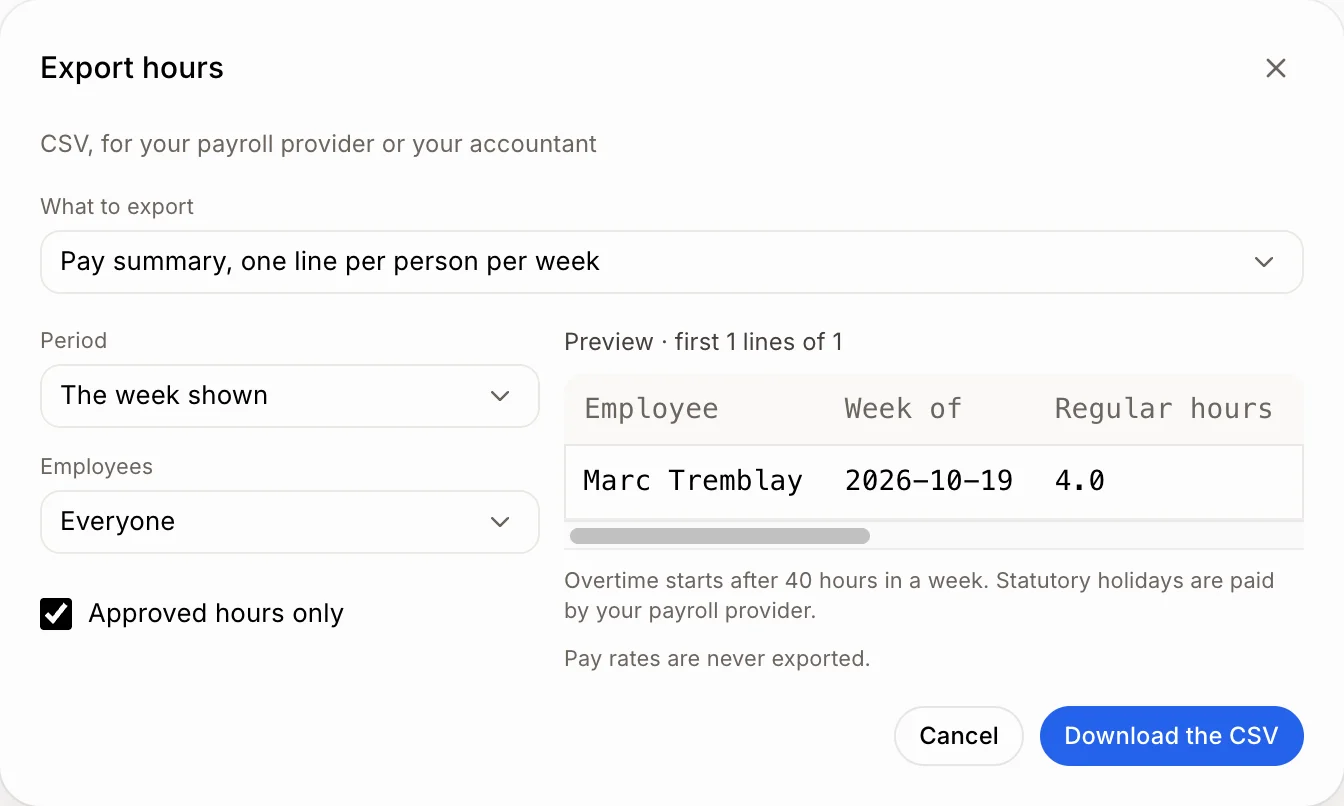
What's in the file
Regular hours: up to 40 hours in a week.
Overtime hours: past 40 hours in a week, the Quebec rule. Your payroll provider pays them at time and a half.
Hours on a statutory holiday: hours worked on one of Quebec's 8 statutory holidays. The holiday pay itself is worked out by your payroll provider.
Total hours.
Pick Every entry instead to get each line (day, job, start, end, hours) and choose its columns.
Good to know
Pay rates are never exported.
Approved hours only leaves out weeks you haven't approved.
Time off skips weekends and statutory holidays: a week of vacation that includes the Fête nationale counts 4 days.
French files use semicolons and decimal commas, so French Excel opens them right.
You can ask Ask Alori: "How much overtime did Marc do last week?"
If it doesn't work
"No hours in this period." Pick another period, or untick Approved hours only.
"Too many lines for one export: shorten the period." Export fewer weeks at a time.