How do I invite the people who came over from HubSpot?
Everyone who owned records in HubSpot comes over with their customers and deals. Open Users and click Invite, or Invite everyone.
Everyone who owned records in HubSpot comes over with them, so each customer and deal keeps its owner. Nobody gets an email during the import. When you're ready, open Users in your team app and click Invite next to a person, or Invite everyone. They choose their password from the email and find their customers and deals already theirs.
Also called: add my sales team, invite my reps, owners from HubSpot, record owner, inviter mon équipe, propriétaire de la fiche, responsable
When the import is done, the import page and the "Your HubSpot data is ready" email also list these people. The Invite them button on the import page invites all of them at once.
Step 1: Open Users
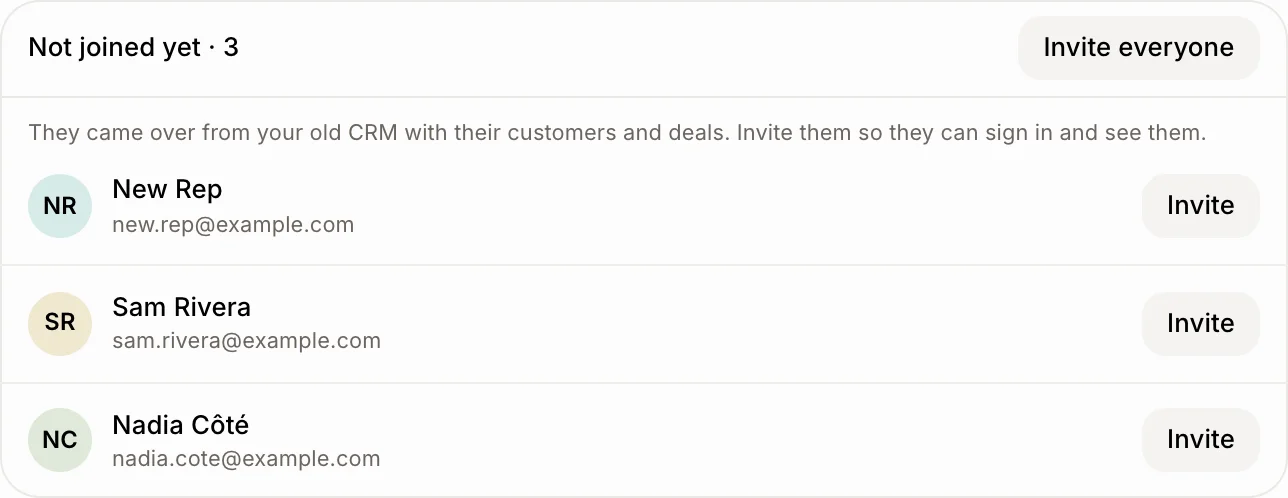
In your team app, open Users. Under your team, Not joined yet lists the people from HubSpot who own records and don't have a login yet. They already show as owners on their customers and deals.
Click: Users › Not joined yet
Step 2: Invite them
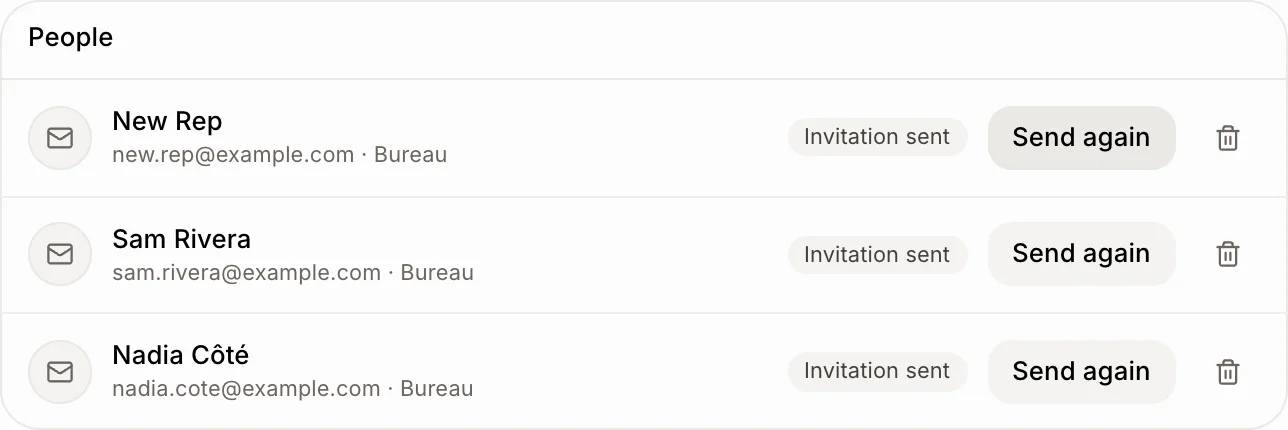
Click Invite next to someone, or Invite everyone. Each person gets an email with a link to choose their password. They get the smallest role that works on customers and deals. You can change it in the list once they join. Until they accept, they show under People with Invitation sent.
Click: Invite (or Invite everyone)
Step 3: Check your former teammates
People who were deactivated in HubSpot come over as Former teammates. Click the list to open it. Their name stays on the records they owned, but they can't sign in and can't be invited. To give their customers to someone else, change the owner on each record.
Click: Users › Former teammates

Good to know
Someone who already had a login in Alori with the same email keeps their own account: their records go to them directly.
To send someone's records to a different teammate before you import, click Fields, owners and pipelines on the import page and pick the teammate next to their name. New teammate is the default for anyone not in Alori yet.
You can also ask Alori: "Invite everyone who came over from HubSpot."
If it doesn't work
The invitation email didn't arrive. Click Send again. If it still doesn't come, copy the link shown and send it by text.
Someone doesn't appear under Not joined yet. They own no records, or they were deactivated in HubSpot: look under Former teammates.