What does my dashboard show, and how do I change it?
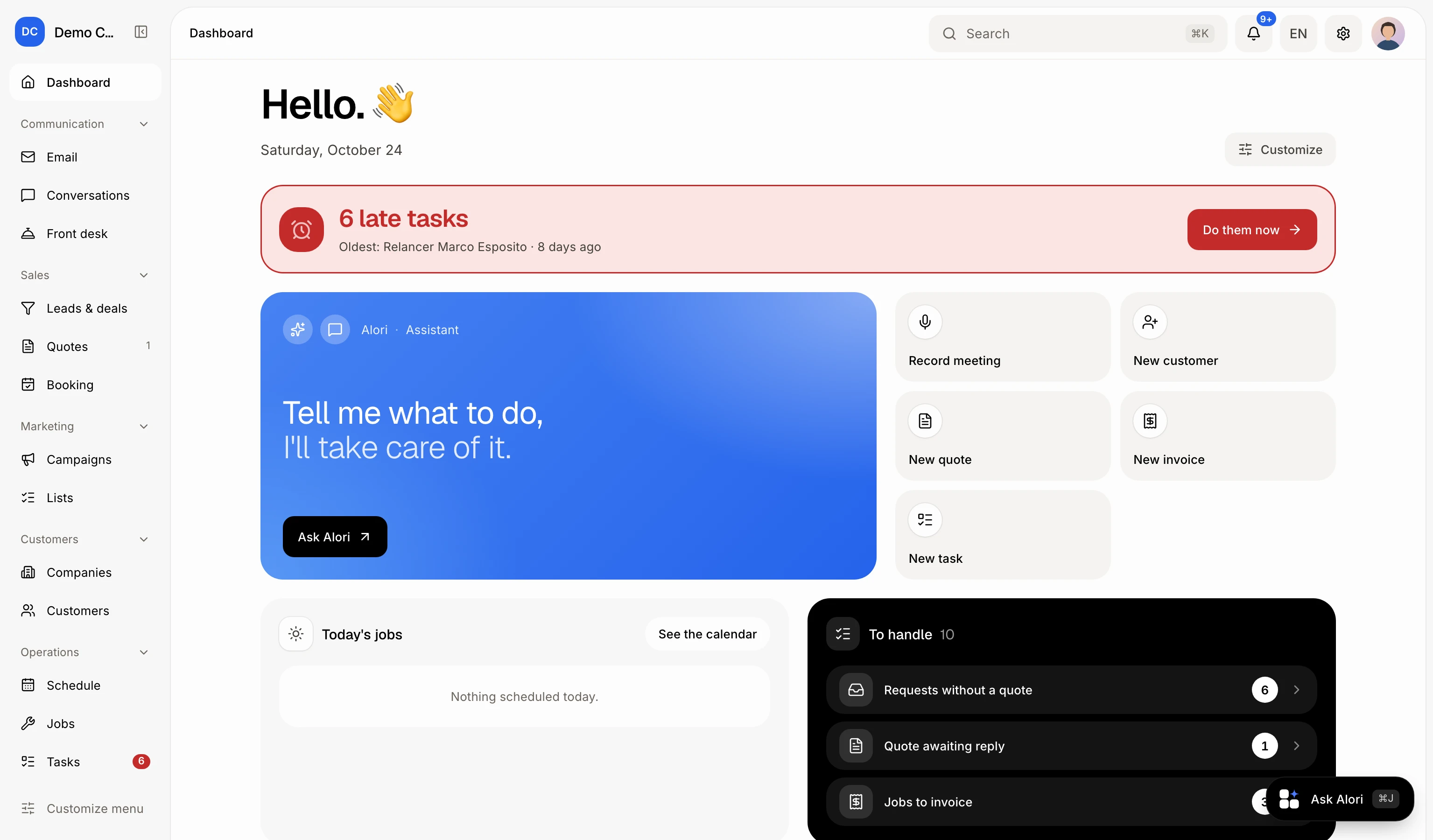
The Dashboard shows what waits on you today in widgets. Click Customize to hide, show or reorder them; each person has their own.
The Dashboard is the first page of your team app. Under Ask Alori and the shortcuts, it shows widgets: what waits on you today and how the business is doing. Each person sees only the widgets their role allows, and can choose their own.
Also called: home page, home screen, overview, widgets, tableau de bord, accueil, page d'accueil
Step 1: Open the Dashboard
Click Dashboard at the top of the side menu. On a phone, tap Dashboard in the bar at the bottom.
Click: Dashboard
Step 2: Handle what waits on you
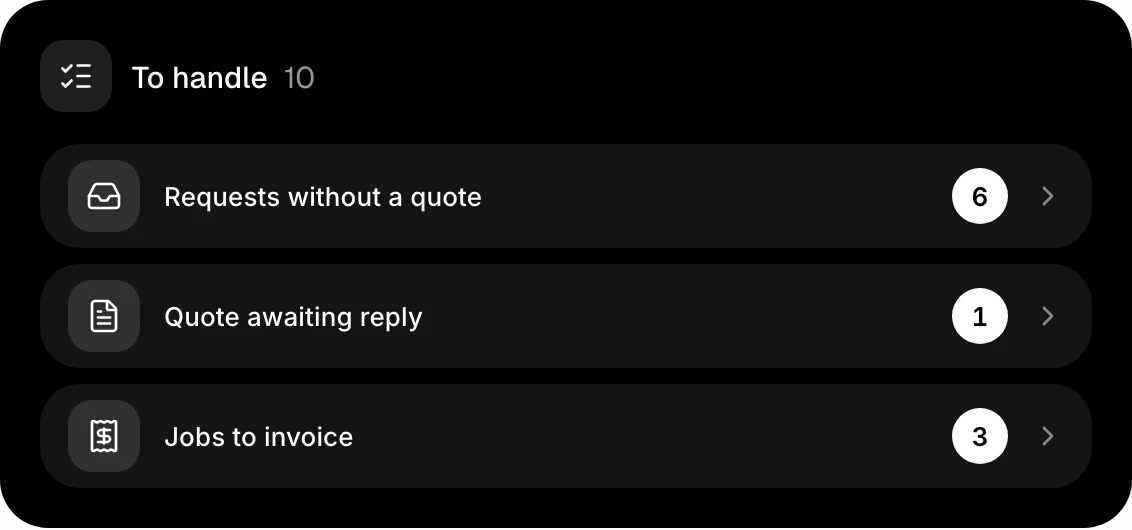
The To handle widget lists what needs you, one line per kind, with its count: messages to answer, bookings to confirm, requests without a quote, accepted quotes to schedule, quotes awaiting reply, jobs to invoice and overdue invoices. Click a line to open that page. A line with nothing waiting does not show.
Click: To handle › a line
Step 3: Choose your widgets
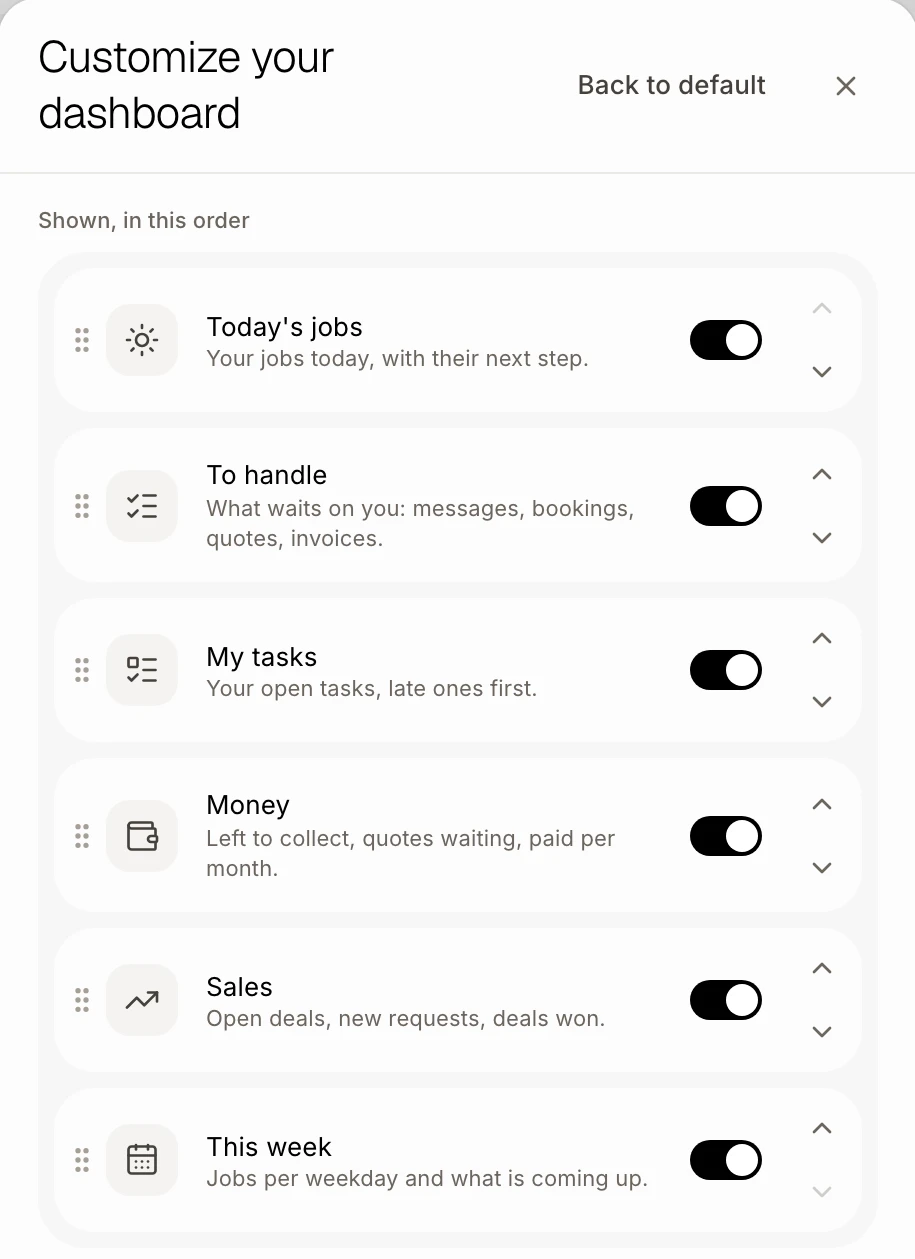
Click Customize, beside today's date. Turn a widget on or off with its switch, and move it with the arrows (on a computer you can also drag it). Each change shows on your Dashboard at once and is yours only. Back to default puts back the widgets your role gets.
Click: Customize › a widget's switch or arrows
You can also ask Alori, for example "remove Sales from my dashboard" or "put Money first".
Good to know
The widgets: Today's jobs, To handle, My tasks, Money (left to collect, quotes waiting, paid this month and a chart of the last six months), Sales (open deals value, new requests, open deals, won in 30 days) and This week (a pill per weekday with its jobs, then what is still coming up).
Who sees what: Money and Sales need See prices in your role. In Money, the invoice and quote numbers show only if your role can see invoices and quotes. This week needs All jobs. A technician sees their day, their to-dos and their tasks.
Late tasks: when some of your tasks are late, a red card at the top names the oldest one. Click Do them now to open your tasks.
A new widget added to Alori later shows on your Dashboard by itself, unless you hid it.
If it doesn't work
"Nothing is waiting on you." Nothing needs you right now in To handle.
A widget is missing from Customize. Your role can't see it, or your app doesn't have that tool. Ask the owner.
My widgets went back to how they were. You may have clicked Back to default. Choose them again; it saves as you go.