How do I get to what a task is about?
Click a chip on the task's row, or open the task and click a button under Go to. Click Link to tie the task to a deal, company or customer.
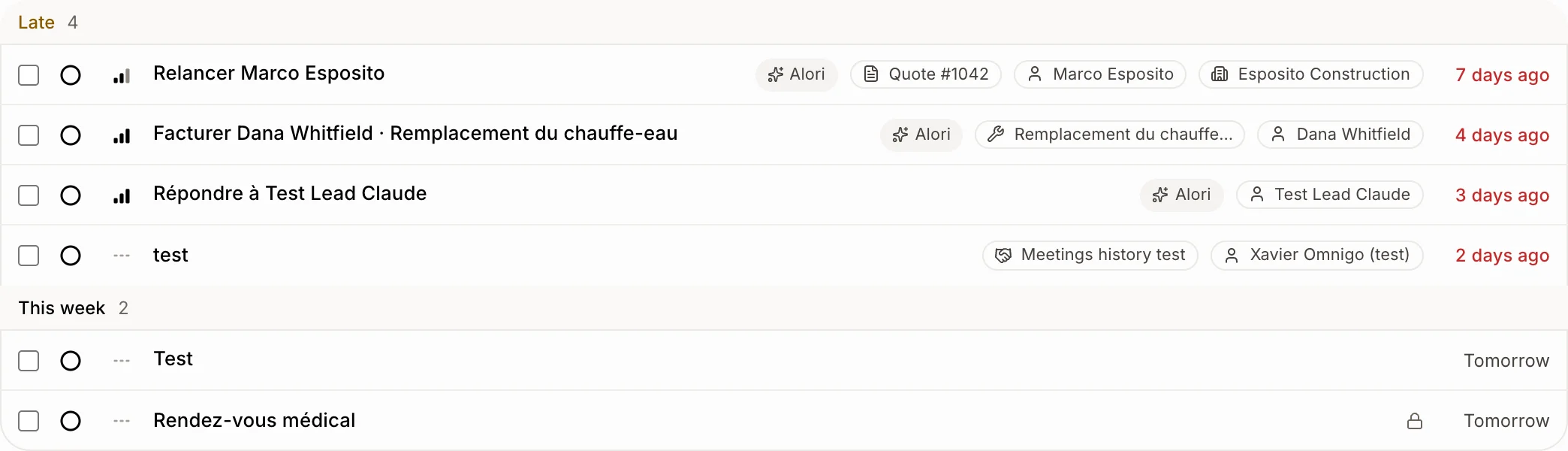
Each task shows what it's about: a deal, a quote, an invoice, a job, a customer, a company or a project. Click one of those chips on the task's row to open it. Or click the task, then a big button under Go to. To tie the task to a deal, a company or a customer, click Link.
Also called: linked record, open the quote, open the customer, related, go to, chips, link a task, attach a task to a deal, task for a company, unlink, lien, aller à, lier, lier une tâche, ouvrir la soumission, ouvrir le client
Step 1: Click a chip on the row
In Tasks, each row shows chips for what the task is linked to, like Quote #1042 or the customer's name. Click one: that record opens right away.
Click: Tasks › a chip on the row
Step 2: Or open the task
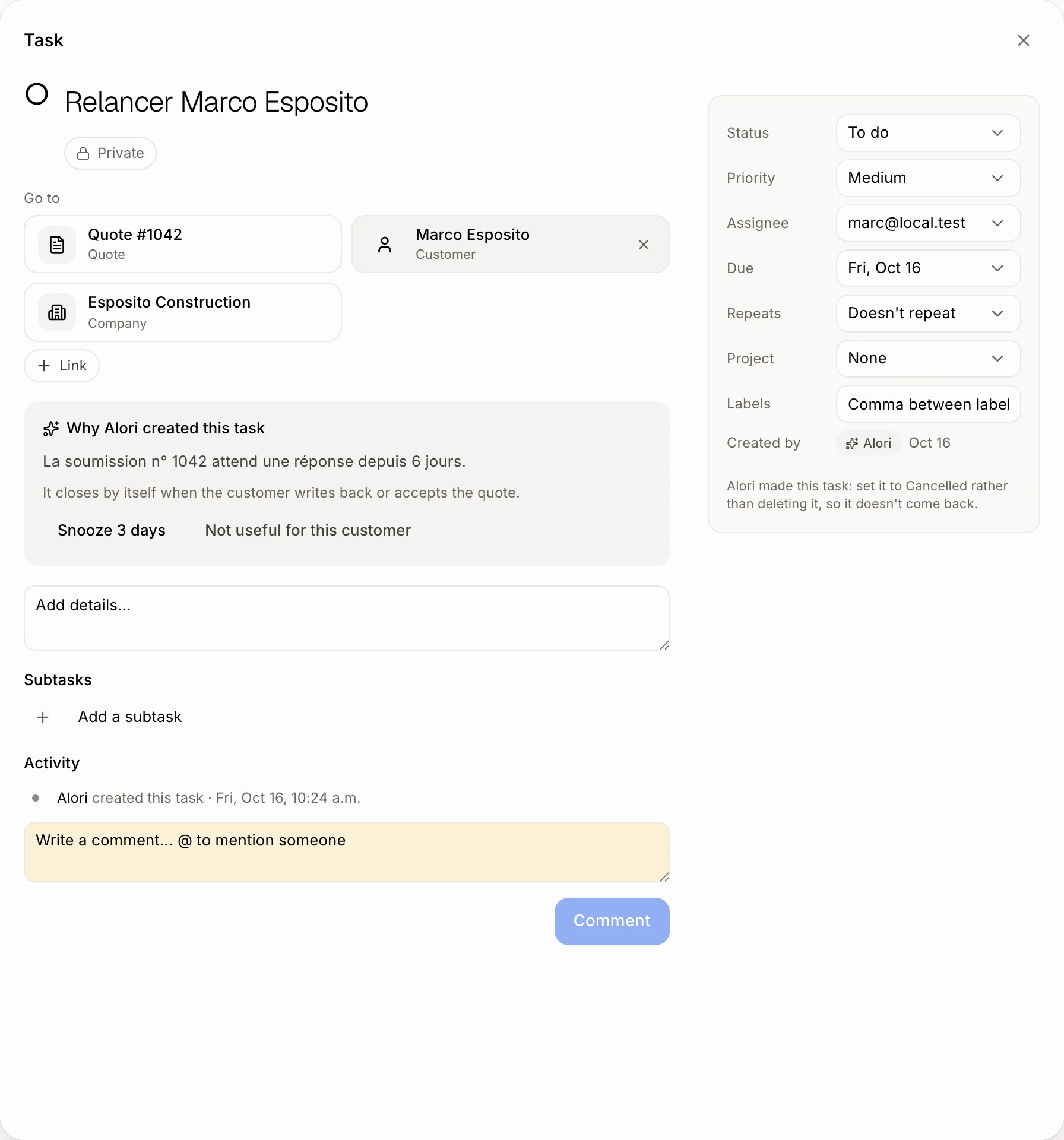
Click the task's title. It opens in a window over your list, so your search and filters stay. Close it with the × or your browser's Back button.
Click: the task's title
Step 3: Go where the work is
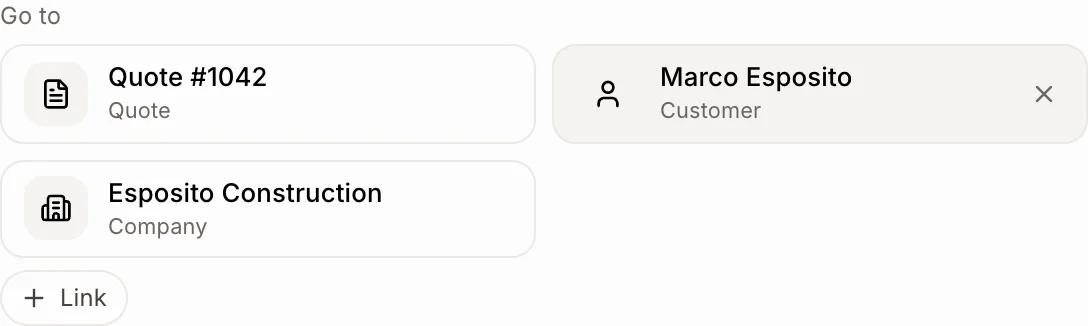
At the top of the window, Go to shows one big button per record: Deal, Quote, Invoice, Job, Customer, Company or Project. Click one to open it and do the work.
Click: Go to › Quote #1042
Step 4: Link it to a deal, company or customer
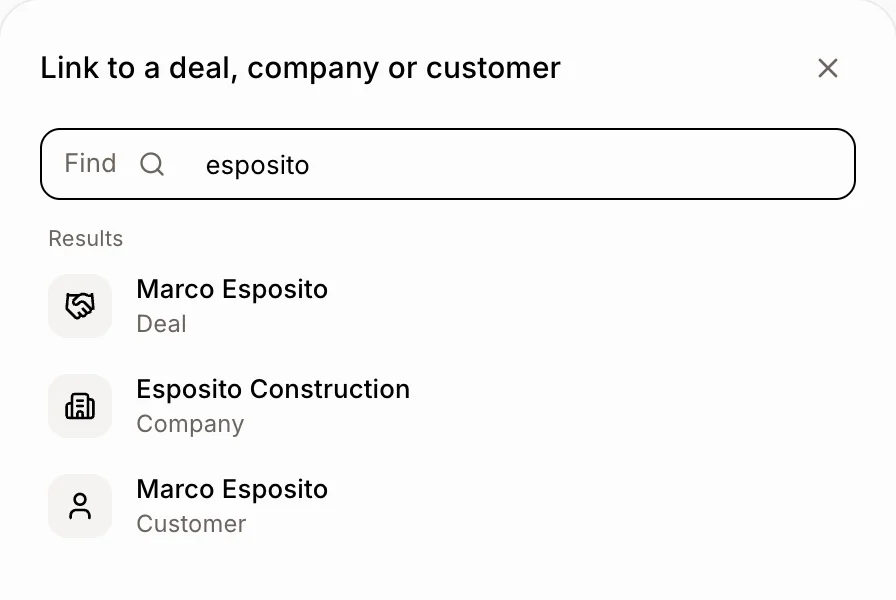
Under Go to, click Link. Type a few letters of the name, then click the deal, company or customer. It's saved right away and shows under Go to. The task now also shows on that record's page.
To take a link off, point at its button and click the ×.
Click: Go to › Link › a name
Good to know
The first chip always shows. The others show when the row is wide enough, like on a computer.
Board cards show the same chips.
A job's customer shows too, even when the task names only the job. The customer's company shows too.
A task links to one deal, one company and one customer. Picking another deal replaces the first.
You can also ask Alori: "link this task to the Esposito deal".
On a project's page, the project chip is left out: you're already there.
Hold Cmd (Mac) or Ctrl (Windows) when you click to open the record in a new tab.
If it doesn't work
I don't see Link. You can only look at tasks. Ask the owner for a role that can edit tasks.
I can't remove a link. Only links you added have an ×. The quote, invoice, job and the customer's company come with the task.
A chip is missing. The record was deleted, or the row is narrow. Open the task to see every link under Go to.