How do I see how fast my team answers chats and support emails?
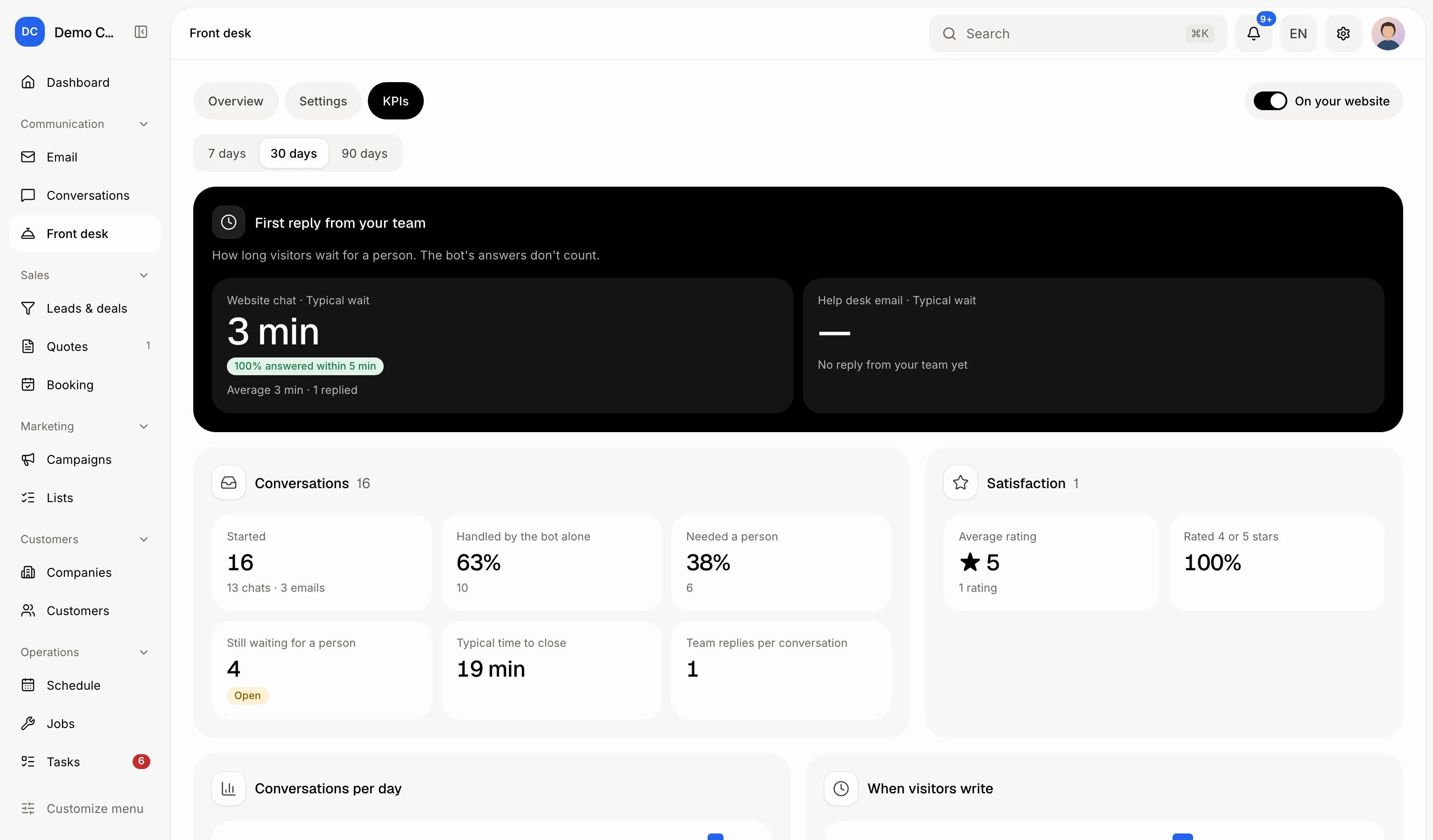
Open Front desk › KPIs. It shows how long visitors wait for a person on the website chat and the help desk email. The bot's answers don't count.
Open Front desk in your CRM and click KPIs. It shows how long visitors wait for a person from your team, on the Website chat and the Help desk email, how much the bot handles alone, what still waits, and each teammate's numbers. Only your team's replies count: the bot's answers never do.
Also called: first response time, FRT, response time, support metrics, SLA, CSAT, dashboard, temps de première réponse, temps de réponse, indicateurs, statistiques du support
Step 1: Open the KPIs tab
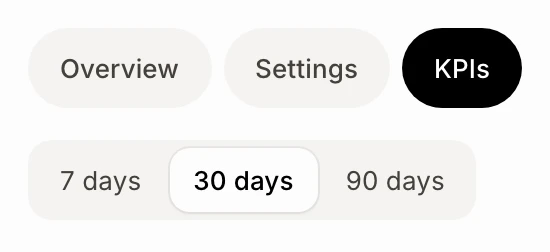
In your CRM, click Front desk in the menu, then KPIs at the top, next to Settings.
Click: Front desk › KPIs
Step 2: Pick a period
Choose 7 days, 30 days or 90 days. Every number on the page is for conversations that started in that period.
Click: Front desk › KPIs › 30 days
Step 3: Read the first reply from your team
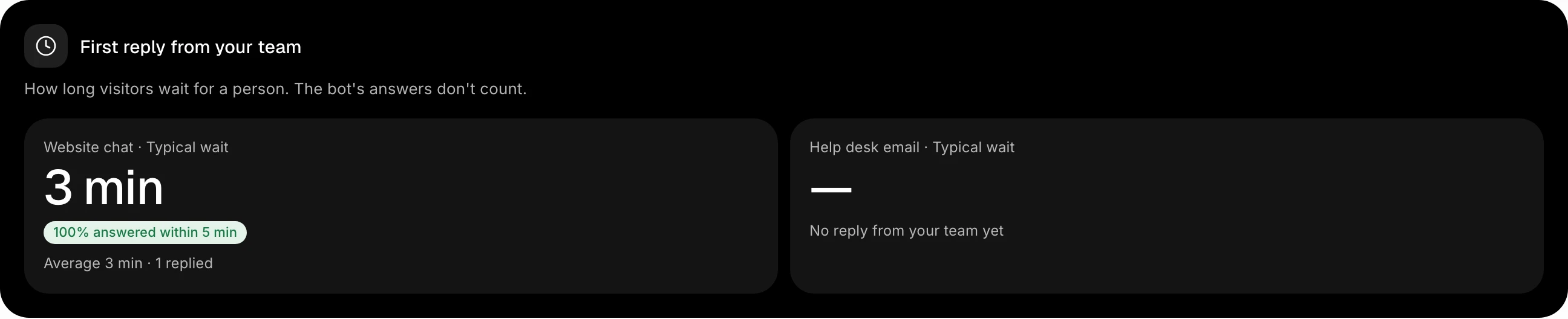
First reply from your team shows, for the Website chat and the Help desk email:
Typical wait: the time from the visitor's first message to the first message a teammate wrote. Half the visitors waited less, half waited more.
A green or orange pill with the share answered within 5 minutes (chat) or within 1 hour (email). It's green at 80% or more.
The average wait and how many conversations got a reply.
A reply from the bot, or an automatic email, doesn't stop the clock. Times are clock time, nights and weekends included.
Step 4: Read the rest of the page
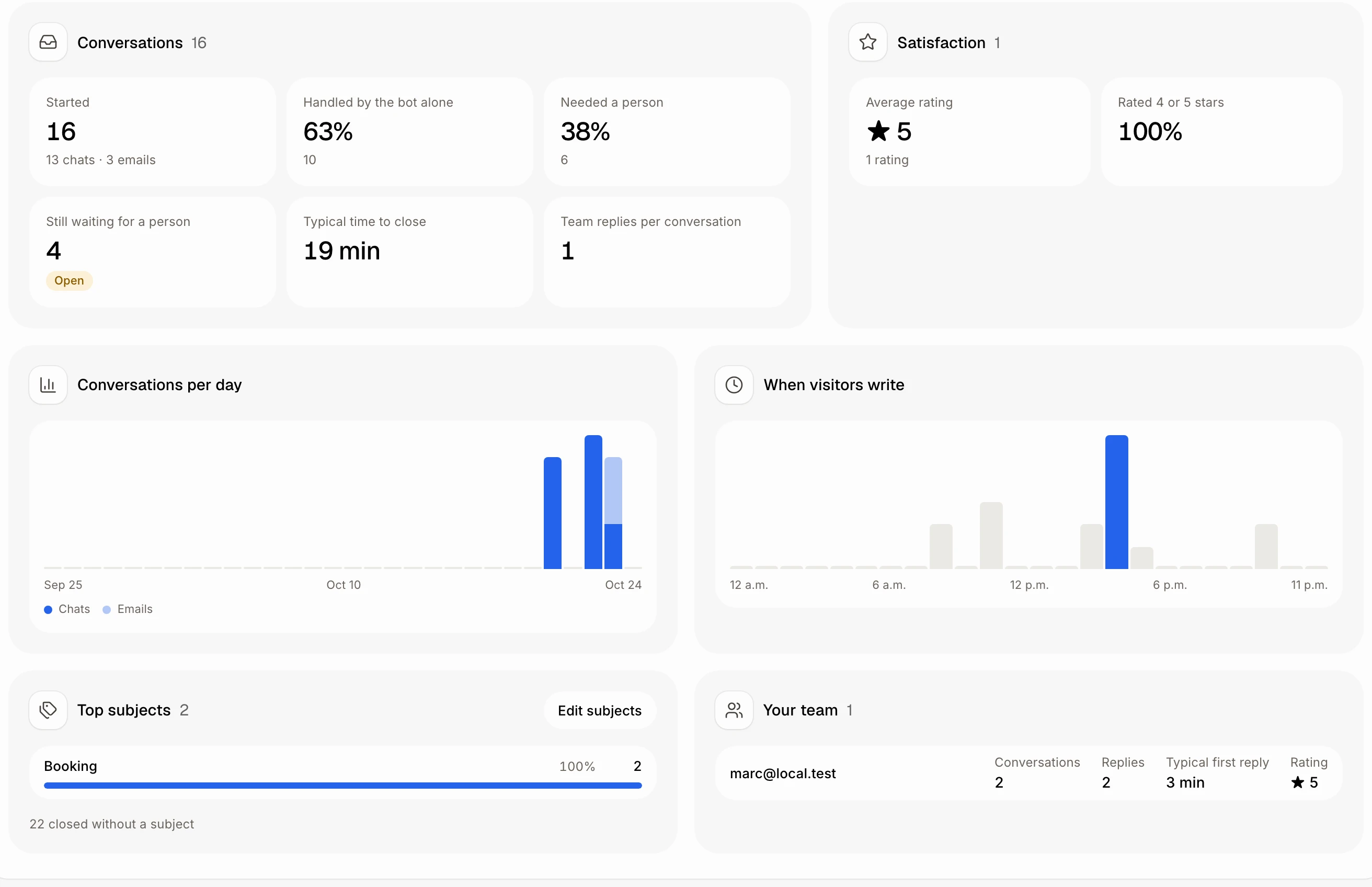
Conversations: how many started (chats and emails), Handled by the bot alone, Needed a person, Still waiting for a person (click it to open them in Conversations), Typical time to close and Team replies per conversation.
Satisfaction: the Average rating and the share Rated 4 or 5 stars.
Conversations per day and When visitors write: when chats and emails come in, so you know when to be there.
Top subjects: what the conversations your team closed were about, most first, for every channel. See How do I track what conversations are about?
Your team: for each teammate, their conversations, replies, typical first reply and rating.
Good to know
Ask Alori or Claude: "What's our first response time this month?" They read the same numbers.
A busy period: with more than 400 conversations, the page counts the latest 400 and says so.
If it doesn't work
"No reply from your team yet": nobody from your team answered a chat or an email in this period. The bot may have answered them all.
"Nobody from your team answered in this period.": pick a longer period, or answer a chat in Conversations.
I don't see KPIs. It shows once Front desk is in your app. See How do I turn on the chat on my website?